Resources
5 Claude Code skills that make your website feel alive
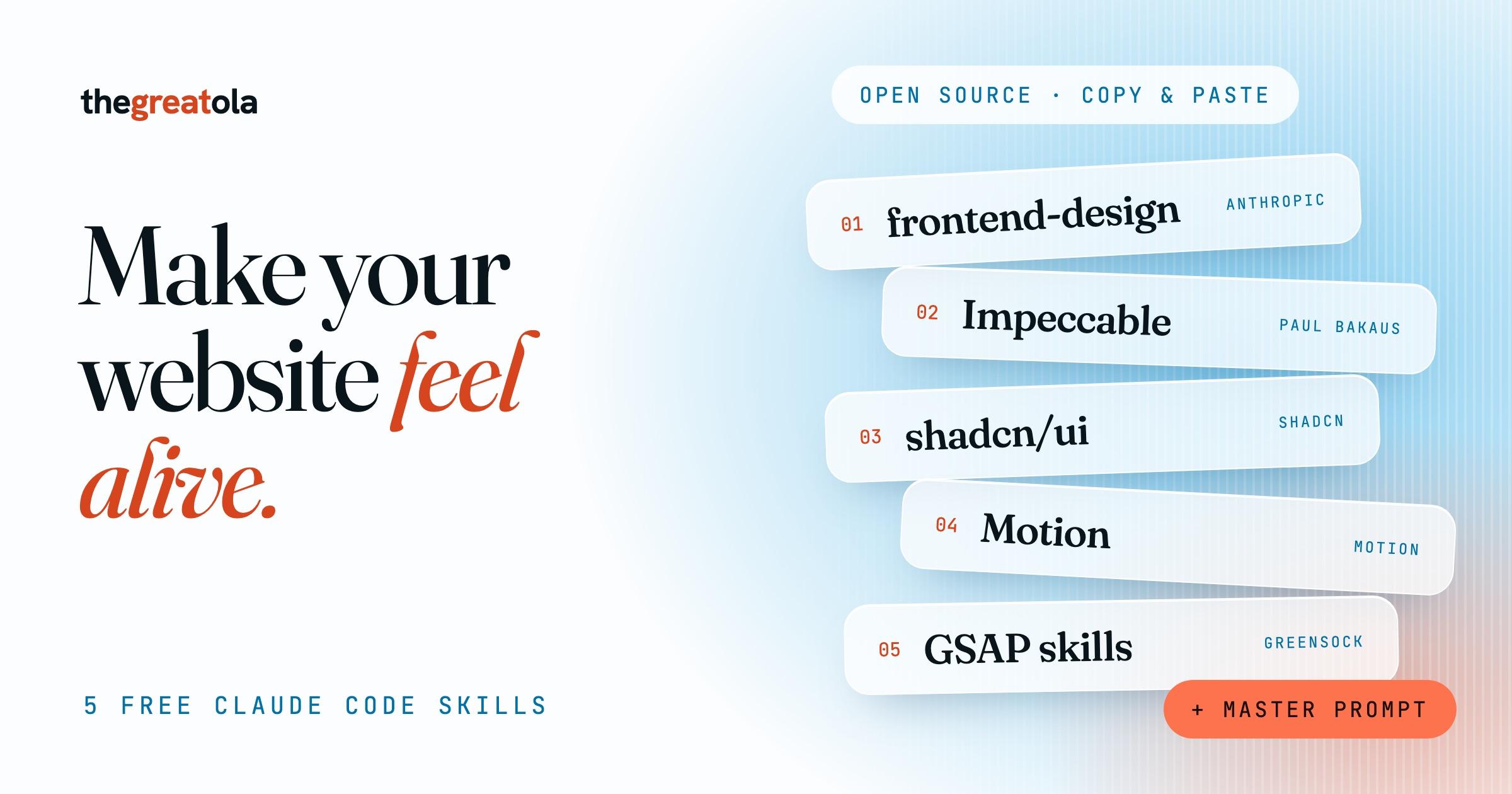
The full list from my reel on fixing a vibe-coded website. All five are free and open source: what each one does, the exact install command and a first prompt to try. Use all five together, or start with the first two.
What you need
- Claude Code (claude.com/code), signed in.
- Node.js from nodejs.org for the npx commands.
- A website project to try them on. Most of these work best on a React or Next.js project. frontend-design and Impeccable work on any site.
- Install each skill, then restart Claude Code so it loads them.
The five skills
- frontend-design (by Anthropic). Anthropic's own design skill. It tells Claude to make real choices about fonts, colors and layout for your project, instead of the same default look every time. Start here.
- Impeccable (by Paul Bakaus). Gives Claude the words a designer uses: polish, typeset (fonts and sizes), colorize (color), layout (spacing) and animate (motion). Its checker flags the common AI tells, like purple gradients and cards nested in cards, and shows them to Claude before it says the work is done.
- shadcn skill (by shadcn). shadcn/ui is a set of clean, accessible components (buttons, dialogs, menus, forms) that you own as code. The skill reads your project's setup and makes Claude use these real components and your color theme, instead of building its own buttons and boxes each time. The theme lives in CSS variables, so changing the whole color theme is a small edit.
- Motion (by Motion). The animation library that used to be called Framer Motion. It works with React, JavaScript and Vue, and Claude already knows how to use it well. This is what gives you smooth hover states, springy buttons and page transitions. Free and MIT licensed.
- GSAP skills (by GreenSock). The official skills for GSAP, the animation library behind many of the best-feeling sites. Eight small skills cover timelines, scroll animation (ScrollTrigger), React and performance. Use it when you want things to move as you scroll. GSAP and its plugins are free.
1. frontend-design: install (inside Claude Code)
/plugin marketplace add anthropics/claude-plugins-official
/plugin install frontend-design@claude-plugins-official
1. frontend-design: other way (terminal)
npx skills add anthropics/skills --skill frontend-design
1. frontend-design: try first
Use the frontend-design skill. Redesign my homepage. No gradients, no boxes or card grids. One calm color theme and a distinctive font pair. Keep all my content.
2. Impeccable: install (terminal, from your project folder)
npx impeccable install
2. Impeccable: try first
/impeccable critique my homepage
2. Impeccable: then
/impeccable typeset my homepage
/impeccable colorize my homepage, one accent color, no gradients
/impeccable polish my homepage
3. shadcn: install (terminal, from your project folder)
npx skills add shadcn/ui
3. shadcn: try first
Use shadcn components for my navigation, hero and contact form. Set one calm color theme in the CSS variables. Flat sections, no gradients, no card grids.
4. Motion: install (terminal, from your project folder)
npm install motion
4. Motion: try first
Use Motion (import from "motion/react"). Add a smooth hover state to every link and button, and a fade between pages. Keep it subtle and fast.
5. GSAP skills: install (inside Claude Code)
/plugin marketplace add greensock/gsap-skills
/plugin install gsap-skills@gsap-skills
5. GSAP skills: other way (terminal)
npx skills add https://github.com/greensock/gsap-skills
5. GSAP skills: try first
Use GSAP with ScrollTrigger. As I scroll, reveal each section one after the other, and make the hero text move slightly slower than the page. Respect reduced motion.
The master prompt (after the skills are installed)
Redesign this site so it doesn't look vibe-coded. Use frontend-design for the direction and Impeccable to polish it.
- No gradients. No boxes or card grids. Use space, type and thin lines to organise things.
- One calm color theme with one accent color.
- A distinctive font pair. Not Inter, not Arial.
- Smooth hover states on every link and button (Motion).
- One scroll animation that fits the content (GSAP).
- Keep all my content and links.
When you're done, run /impeccable audit and fix what it finds.
Install notes
- frontend-design: if Claude says it can't find the marketplace, run the marketplace line first, then the install line.
- Impeccable: say yes when it offers the design hook. Restart Claude Code, then run /impeccable init. You can also install it inside Claude Code with /plugin marketplace add pbakaus/impeccable, then open /plugin, choose Discover and install Impeccable.
- shadcn: the skill turns on when your project has a components.json file. If you don't have one yet, run npx shadcn@latest init first.
Make it feel alive: checklist
- Motion: one well-planned moment on page load, not ten random ones. Keep animations short, around 200 to 400 milliseconds.
- Hover states: every link and button reacts when you point at it. Nothing moves its neighbour.
- Typography: two fonts at most, clearly different. A big headline, a calm body, lines under 80 characters wide.
- Color: one background, one text color, one accent. Check that the text is easy to read on the background.
- No gradients: flat color. If you want depth, use spacing and type size.
- No boxes: don't put every block in a rounded card with a shadow. Use whitespace, thin lines and size to show what belongs together.
- Scroll: one animation that helps the story, like revealing a section. Turn it off for people who set "reduce motion".
- Touch: let people play with one thing. Greg's site lets you drag photos around.
- Phone: open it on your phone before you post it. It must feel smooth there too.
- Final pass: run /impeccable audit and fix everything it lists.
Inspiration
Open each one, click everything and notice what moves. Then tell Claude what you liked in your own words.
Design inspiration
Tips
- Install what you'll use this week. Skills you never touch just add noise.
- Skills guide Claude, they don't force it. Always say "no gradients, no boxes" in your own prompt.
- Change one thing at a time. Run typeset, look, then colorize, look, then animate.
- If a skill does something you don't like, tell Claude and ask it to save the fix.
frontend-design: github.com/anthropics/claude-plugins-official ↗Impeccable: github.com/pbakaus/impeccable ↗Impeccable docs: impeccable.style/docs ↗shadcn/ui: github.com/shadcn-ui/ui ↗shadcn skills docs: ui.shadcn.com/docs/skills ↗Motion: github.com/motiondivision/motion ↗Motion docs: motion.dev/docs ↗GSAP skills: github.com/greensock/gsap-skills ↗More Claude skills I use (includes Taste) ↗Need AI workflows set up for your team? ↗
Free, and staying free
If this helped, subscribe to support me.
Everything on this page is free. Subscribing to my Substack is the best way to say thanks, and you’ll get the next guide in your inbox as soon as I post it.